




10 Daily Habits for Better Posture at the Computer
Many of us spend countless hours glued to our screens. This constant sitting takes a heavy toll on the human body. Shoulders begin to slump, necks crane awkwardly forward, and lower backs start to ache. Over time, ignoring poor posture can lead to chronic discomfort, tension headaches, and decreased productivity.
Small, intentional adjustments can make a massive difference in how your body feels at the end of the workday. You do not need a complete lifestyle overhaul to find relief. By integrating a few simple, mindful habits into your daily routine, you can protect your spine and feel significantly more energized.
Read on to discover ten practical ways to improve your posture while working at the computer.
1. Optimize Your Screen Height
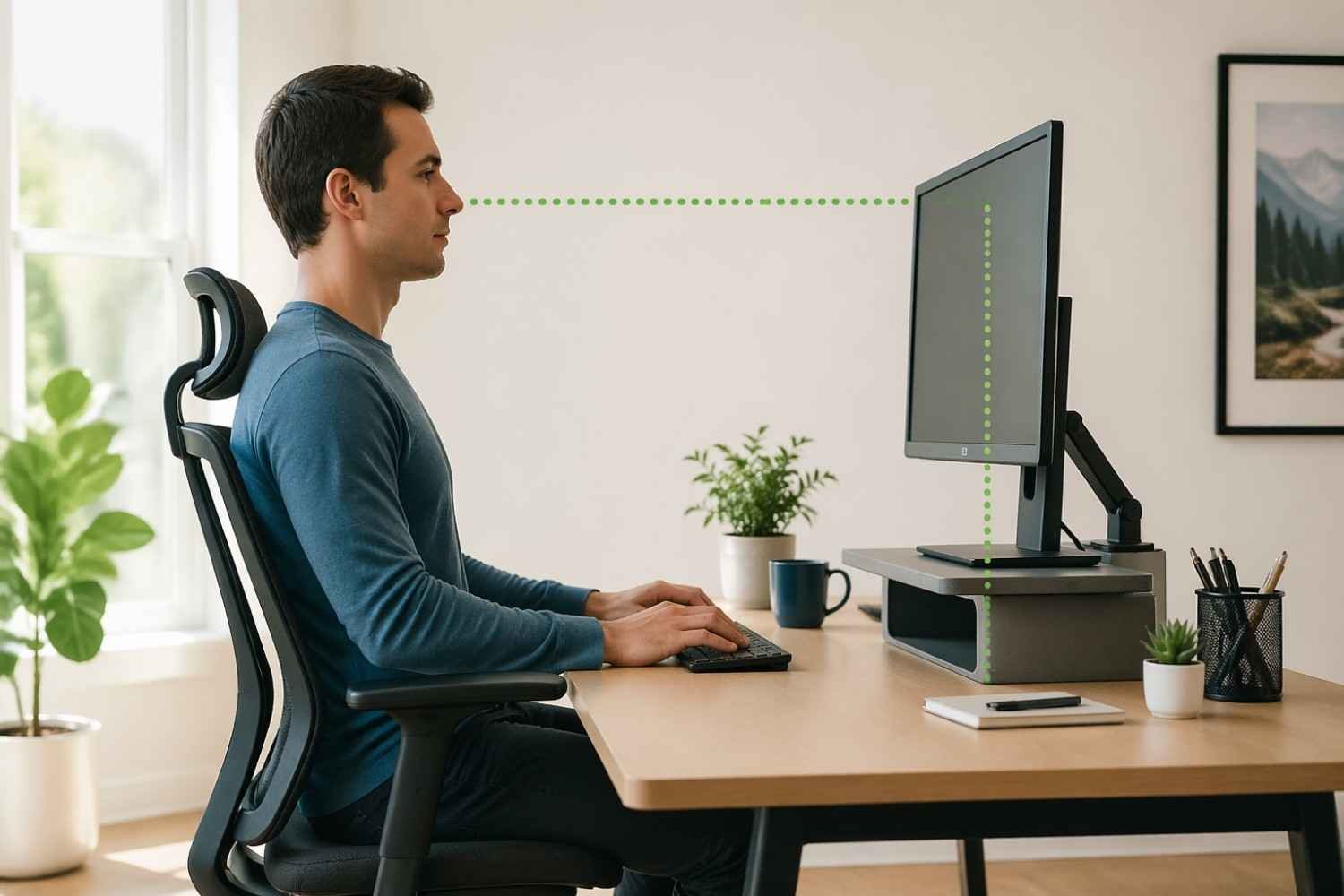
Your monitor placement dictates the position of your neck and head. If your screen sits too low, you will naturally tilt your head downward, putting immense strain on your cervical spine. To fix this, raise your monitor so the top third of the screen aligns directly with your eye level. You can use a dedicated monitor stand or simply stack a few sturdy books underneath the base.
2. Keep Your Feet Flat on the Floor
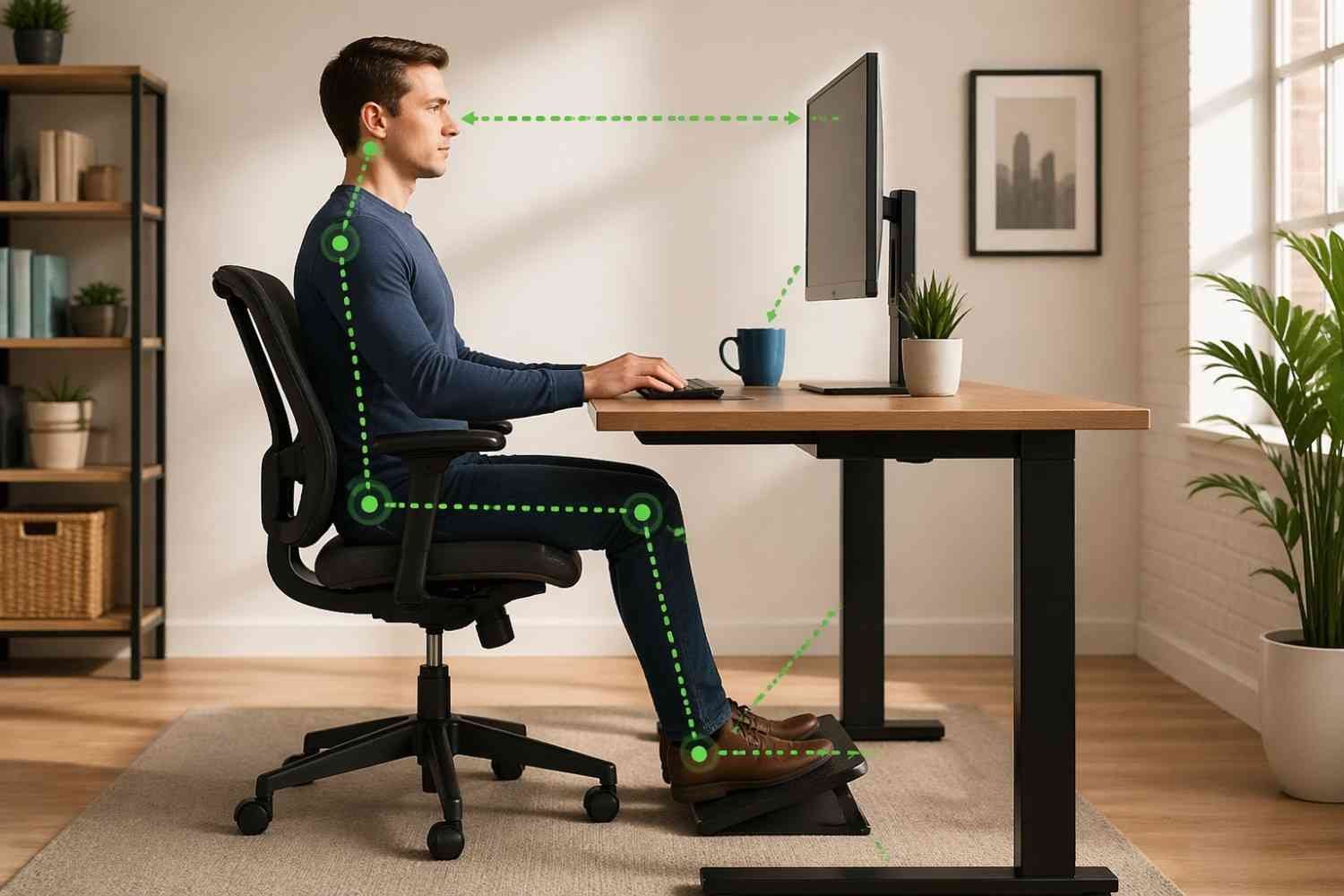
Crossing your legs might feel comfortable in the moment, but it throws your pelvis out of alignment and restricts blood flow. Plant both feet firmly and flatly on the ground. Your knees should be roughly at the same height as your hips, or slightly lower. If your feet cannot comfortably reach the floor, place a small footrest or a sturdy box beneath your desk to provide the necessary support.
3. Position Your Keyboard and Mouse Correctly

Reaching too far for your keyboard or mouse forces your shoulders to roll forward. Keep these input devices close to the edge of your desk. Your elbows should bend at a comfortable 90-degree angle, resting comfortably by your sides. Consider using a wrist rest to keep your wrists in a neutral, straight position while typing, which helps prevent nerve compression.
4. Utilize Proper Lumbar Support
Your lower back has a natural inward curve. Most standard office chairs fail to support this curve, leading to slouching. Sit all the way back in your chair so your spine rests against the backrest. If your chair lacks built-in lumbar support, place a small, rolled-up towel or a specialized lumbar cushion directly behind the small of your back.
5. Follow the 20-20-20 Rule

Eye strain directly impacts your posture. When your eyes grow tired, you subconsciously lean closer to the monitor to read the text. To prevent this forward head posture, adopt the 20-20-20 rule. Every 20 minutes, look away from your screen and focus on an object at least 20 feet away for exactly 20 seconds. This brief pause relaxes your eye muscles and cues you to reset your seating position.
6. Take Frequent Standing Breaks
The human body was designed to move, not to sit motionless for eight hours. Set a recurring timer to remind yourself to stand up at least once every hour. Use this time to grab a drink of water, walk down the hallway, or simply stand and stretch at your desk. Breaking up long periods of sitting relieves pressure on your spinal discs and improves circulation throughout your entire body.
7. Perform Simple Desk Stretches

Incorporate a few basic stretches into your workday to relieve muscle tension. Try performing gentle neck rolls to loosen tight cervical muscles. You can also do chest openers by clasping your hands behind your back and gently pulling your shoulder blades together. These quick movements counteract the forward-hunching motion associated with computer work.
8. Drink More Water
Hydration plays a surprisingly critical role in spinal health. The discs located between your vertebrae are composed mostly of water. Staying hydrated helps these discs maintain their height and shock-absorbing capabilities. Furthermore, drinking water continuously throughout the day forces you to take necessary bathroom breaks, which naturally gets you out of your chair and moving around.
9. Be Mindful of Shoulder Tension

Stress often manifests as physical tension in the upper body. When deadlines approach, you might unknowingly hike your shoulders up toward your ears. Check in with your body periodically. Consciously pull your shoulders down and back, allowing them to hang in a relaxed, neutral position.
10. Seek Professional Alignment Support
Sometimes, building new habits is not enough to completely resolve years of poor posture. If you experience persistent stiffness or sharp pain, professional intervention can help. Seeking targeted chiropractic care in West Jordan can correct underlying spinal misalignments.
A professional adjustment ensures your joints are moving correctly, creating a healthy foundation so your newly formed daily habits can actually take root and provide lasting relief. In many cases, this kind of hands-on, corrective approach acts as the most powerful medicine for long-term posture improvement and overall spinal health.
Start Building Healthier Desk Habits Today
Transforming your posture is a gradual process that requires daily mindfulness. You do not have to implement all ten of these habits at once. Start by choosing two or three that resonate most with your current setup, such as raising your monitor or uncrossing your legs. As those adjustments become second nature, gradually introduce the rest. By taking proactive steps today, you will protect your spine, boost your daily energy levels, and create a much more comfortable working environment.